Survive tax season without losing your mind.
Your clients send their documents on time, in one place, without a single email. You run your whole season on one board. Kolek chases your clients for you.
14-day trial · no credit card · data hosted in Montréal
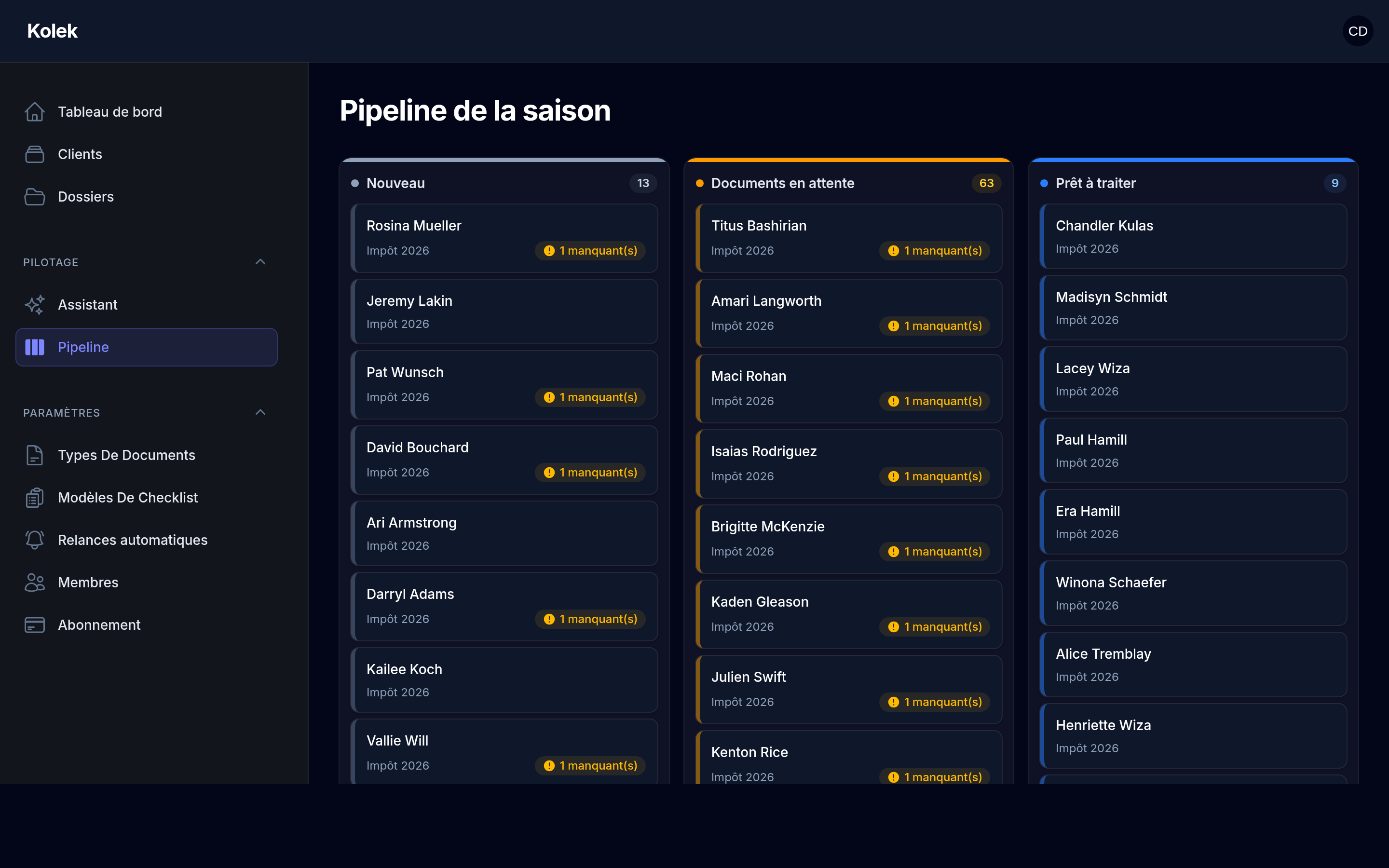
A preview of the season pipeline. Kolek sits alongside your tax-preparation software — it does not replace it.
February to April, you know the drill.
Endless back-and-forth
Five emails for a single T4. Attachments get lost in the threads.
Clients always running late
You chase them by hand, one at a time, at night, whenever you remember.
A tracking spreadsheet that lies
A file’s real status lives in your head. No one else can see it.
A season that ends in pieces
April 30 arrives and you’re drained. Next year, same thing. Unless.
Stop using your inbox to collect documents.
Seven fewer things to carry.
No password, no account
Your clients upload their documents in 30 seconds from their phone. A secure link, one upload, done. No account, no forgotten password to reset in the middle of the season.
Fortin CPA is asking you for 3 documents.
The right list, for the right client
Each client gets exactly the list of documents to provide. You see at a glance what’s missing. About 44 Canadian tax types are already there — T4, RL-1, T1, TP1 and the rest.
Your whole season on one board
Drag a file, its status updates. Your team sees the same thing as you, in real time. No more tracking spreadsheet that no one dares to touch. And every file keeps a full history: who uploaded what, when, and every reminder sent.
Kolek chases for you
Politely, at the right time, in your tone. You set the cadence once; the system handles the reminders for the rest of the season. You get your February evenings back.
Zero emails written by you. You stay in control of the tone and the frequency.
Spot at-risk files before the crunch
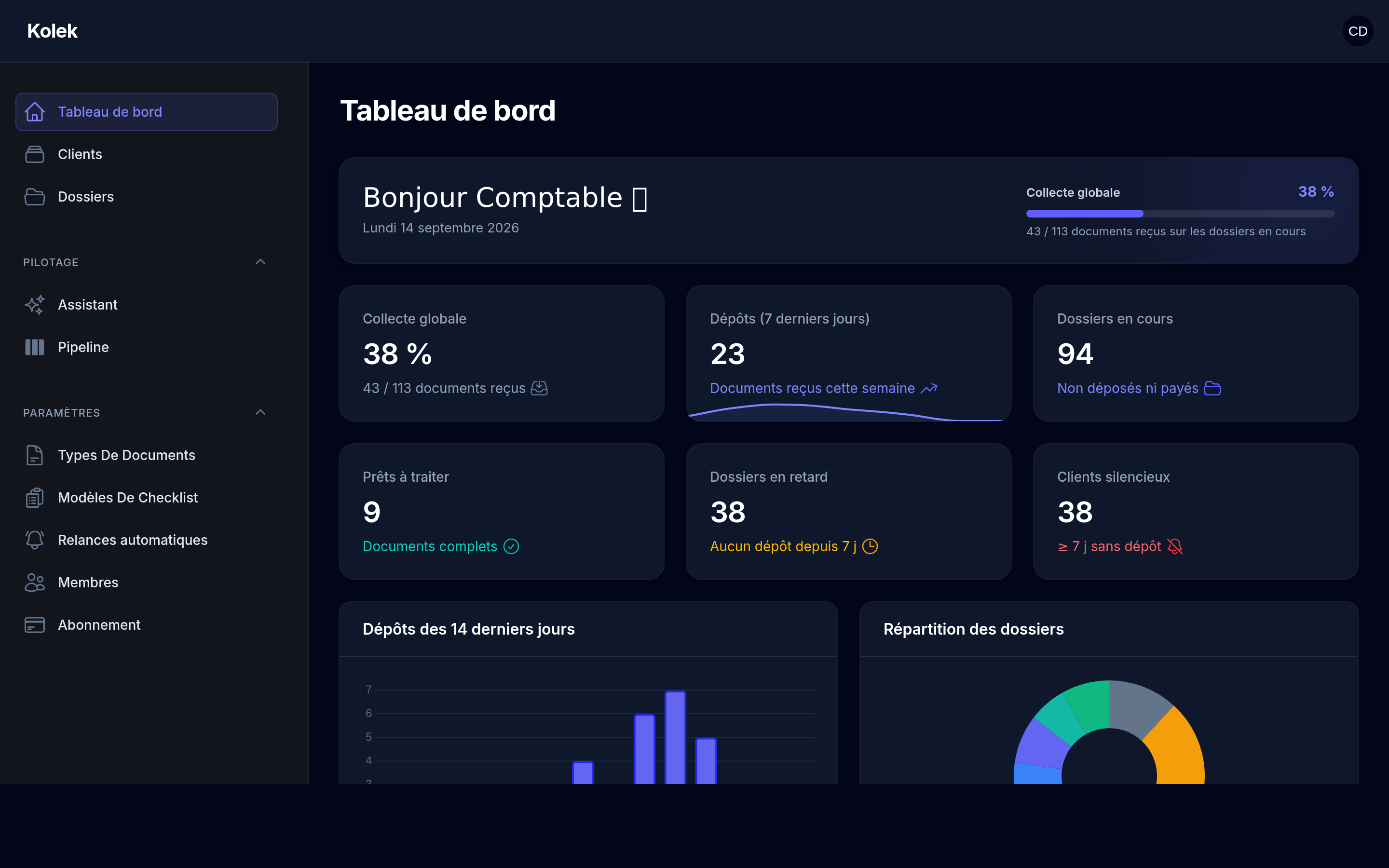
A dashboard that tells you where to look: silent clients, stuck files, what needs to go out this week. And every morning, a prioritized work plan tells you what to tackle first. The season becomes predictable again.
Add your team with one link
Everyone sees only your firm’s files, with the role you give them. A technician, an assistant, a partner: access follows, not shared spreadsheets.
Just ask — the assistant handles the rest
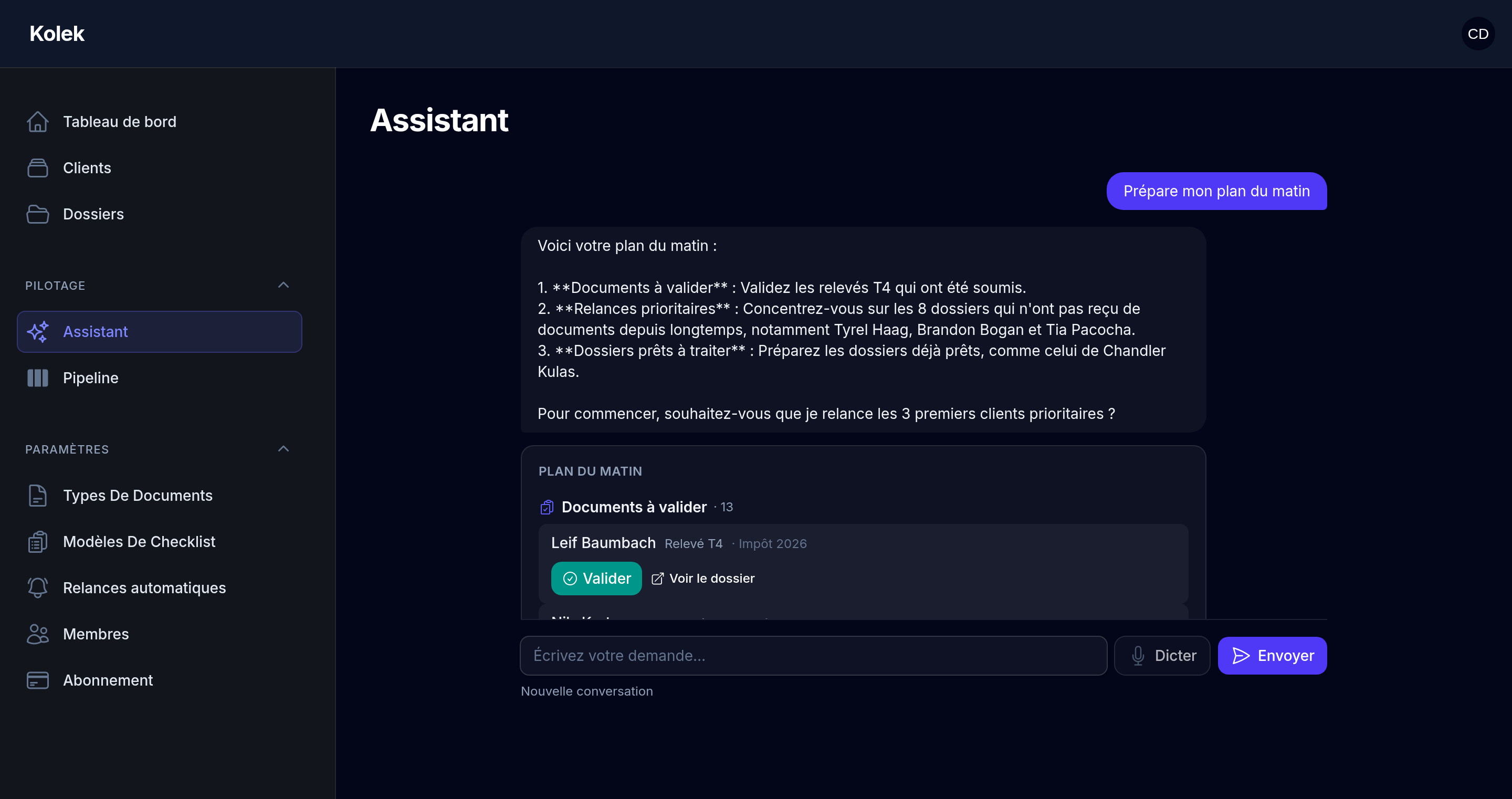
“Where does my season stand?”, “Who should I chase?” — the assistant reads your files and drafts reminders and emails. Prefer to talk? Speak to it out loud and it answers back by voice, in French or English. You approve with one click; nothing goes out without your say-so.
Pays for itself by your 5th file of the season.
Kolek costs $348 per year for a solo firm. The rest is time you take back — or files you can finally take on.
Start the free trialYour data stays in Canada.
Your clients’ files contain social insurance numbers and income. They are hosted in Montréal, with a Canadian provider, never transferred out of the country. Nothing to explain to a worried client — it’s already handled.
Talk compliance with usServers in Montréal. No data outside Canada.
Consent, retention periods and access rights planned from the start.
For every member of the firm, no exceptions.
Who saw what, when. Documents encrypted at rest and in transit.
What’s coming, said honestly.
These three projects are in development and not yet available. We announce them so you know where the tool is headed — not to sell them today.
Automatic classification and checking of uploaded documents: the right slip ticked on the right line, without you opening the PDF.
Client booking right inside the portal, tied to the file’s status.
Documents that still arrive by email, attached to the right file automatically.
Join the waitlist to be notified when each project launches.
14-day trial, no credit card.
All prices are in Canadian dollars. Every plan includes every feature — only the number of users and clients changes. Monthly billing, no commitment. A discounted annual option is coming at launch.
All of Kolek, for the solo accountant.
All of Kolek, for a small team.
All of Kolek, no ceiling.
What people ask before getting started.
Another question? Write to us at bonjour@kolek.ca — a human answers.
Does it replace my tax software?
No. Kolek produces no returns. You keep TaxCycle, ProFile or UFile for preparation; Kolek handles document collection, file tracking and client communication. The two live side by side.
Do my clients have to create an account?
No. They receive a secure, single-use link and upload their documents directly, often from their phone. No password to remember, so no call to reset it.
Where is the data hosted?
In Canada, in data centres in Montréal. Documents are encrypted at rest and in transit, and never leave the country.
Is the tool bilingual?
Yes. The interface and communications are available in French and English — the interface follows each accountant’s language, and the portal and reminders follow each client’s language.
How long to get up and running?
One evening. You add your clients, choose the checklists by file type, and the first links go out the next morning.
What if my clients aren’t comfortable with technology?
That’s exactly what the portal was built for: a link, a photo, no account. And you can always upload a document on their behalf into the file.
Can I cancel?
Any time, from your account. No commitment, no penalty, and you leave with your documents.
Is the collection AI available?
Not yet. It’s in development, like appointment booking and email triage. None of that is included in the plans today — we’ll say so clearly when it’s ready.